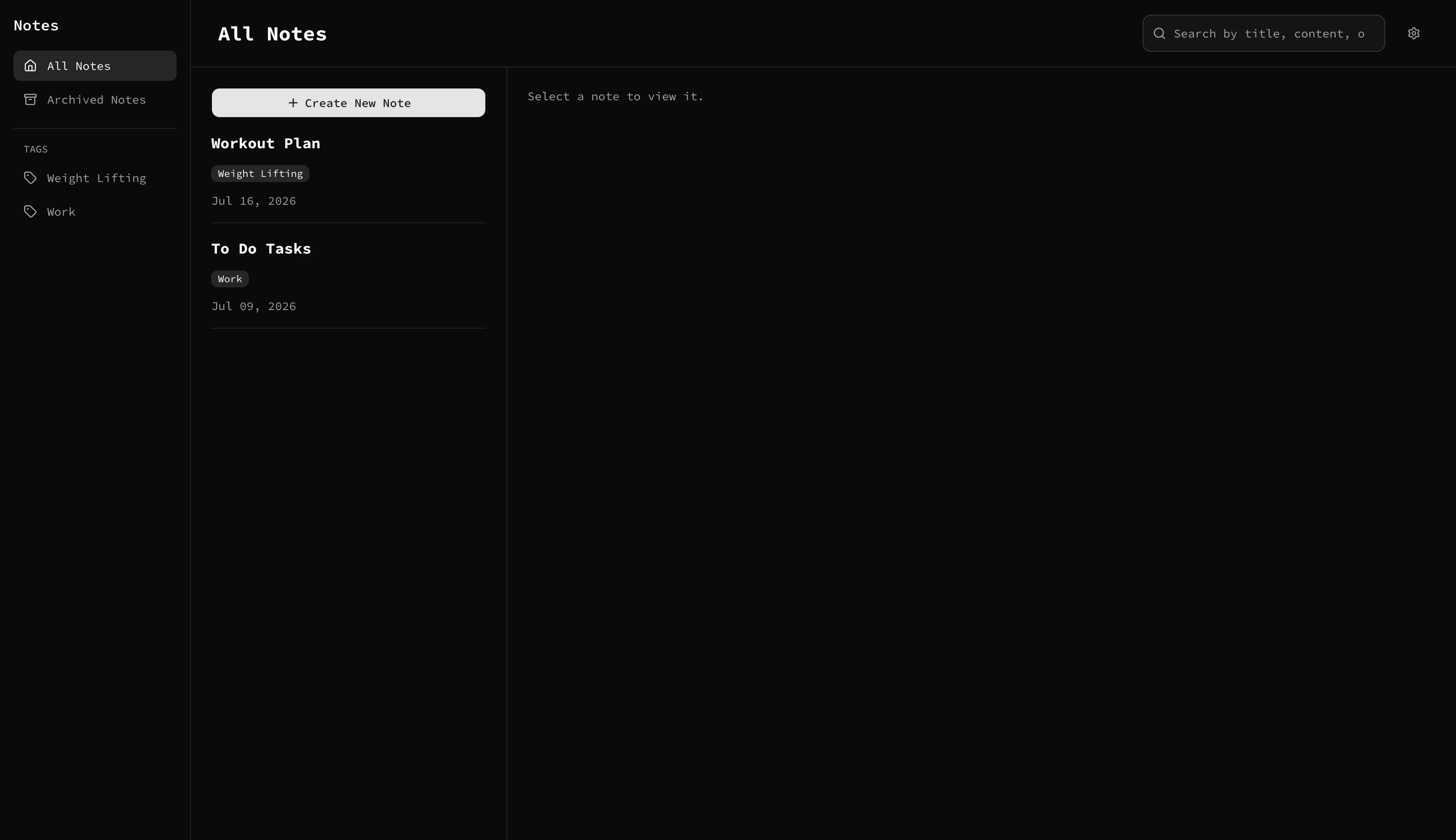
Originally scoped from a Frontend Mentor challenge and extended into a complete backend as a portfolio project. Notes lets a signed-in user create, edit, archive, tag, and search their own notes, with preferences (color theme, font theme) persisted per account. Every note and preference is scoped to the authenticated user and stored in Postgres — there’s no mock data or local-only state once you’re signed in.
Features
- Google OAuth sign-in (Auth.js / NextAuth v5)
- Create, edit, delete, and archive notes
- Tag notes and browse by tag
- Global debounced search across title, tags, and content
- Per-user color theme and font theme, persisted to the database
- Fully responsive layout (mobile, tablet, desktop) with a distinct mobile shell
- Full keyboard navigation and visible focus states throughout
- Form validation with inline error messaging
Architecture notes
A few decisions worth calling out if you’re reviewing this as a portfolio piece:
- Server Components for reads, Server Actions for writes. Pages fetch data directly on the server (no client-side data-fetching library); mutations go through typed Server Actions (
app/(app)/notes/actions.ts,app/(app)/settings/actions.ts) rather than hand-rolled API routes. - Auth is enforced in the data layer, not just middleware.
proxy.ts(Next 16’s renamedmiddleware.ts) does an optimistic redirect for unauthenticated visitors, but the actual authorization check happens per-request via a cachedrequireUser()helper (lib/session.ts) called from pages and actions — middleware alone is not trusted as the security boundary. - URL-as-state for note selection. Which note is open is stored in the URL (
?note=<id>), not component state, so selected notes are shareable, bookmarkable, and survive a refresh. - Split pooled/direct database connections. Runtime queries use a pooled Postgres connection (
DATABASE_URL) via Prisma’s driver adapter, sized for serverless function concurrency; schema migrations use a separate direct connection (DIRECT_URL), configured inprisma.config.tsper Prisma 7’s new connection model. - Per-user preferences live in Postgres, not localStorage. Font theme is read server-side in the root layout and applied before first paint, avoiding a flash of default styling.
Built to practice full-stack development and using AI to speed up the workflow.